Your expert for PROFINET and industrial networks
Helmholz supplies the components and the knowledge for a robust industrial network: cable, connectors, switches, firewalls, wireless links, gateways and diagnostics for PROFINET, PROFIBUS, Industrial Ethernet, CAN and MQTT, plus PC cards and embedded modules that bring PCs and your own devices onto the network.
- Official PI Competence Center (PICC) for PROFINET and PROFIBUS in the Netherlands
- Network design, commissioning and certification according to the PI guidelines
- Troubleshooting on site, with a report on the cause and advice for a reliable network
- Training, workshops and webinars for your own engineers

Choose your network





Or by type of component
Components by network
PROFINET
PROFINET cable Type A, B and C, managed switches with Conformance Class B and MRP, couplers, wireless PROFIsafe and the PROFINET TEST TOOL, for networks according to the PI guidelines.
Connect
Maintain
PROFIBUS
PROFIBUS DP, PA and MPI: bus connectors up to 12 Mbit/s, repeaters, couplers, proxies and PA gateways that bring PROFIBUS into PROFINET, plus wireless links and testers.
Maintain
Industrial Ethernet
Unmanaged FLEXtra® switches up to 1 Gbit/s and PoE+, RJ45 connectors and M12 patch cables, WALL IE firewalls, industrial Wi-Fi and Ethernet barriers for hazardous areas.
Connect
Maintain
CAN bus
CAN, CANopen and SAE J1939: PROFINET gateways configured via GSDML, CAN for S7 controllers, bridges, wireless links, connectors and testers.
Build
Connect
Maintain
MQTT
From the PLC to IT and the cloud: a DIN-rail MQTT broker with MQTT V3.1.1 and V5 and TLS, PROFINET couplers that publish via MQTT, and gateways for existing S7 and Modbus TCP controllers.
Background
Connect
Maintain
Cable, connectors and repeaters
A reliable network starts with the physical layer: the right cable for fixed or moving installation, connectors assembled correctly and, for PROFIBUS, repeaters that isolate the segments.

PROFINET and Ethernet
PROFINET cable Type A, B and C, factory-made patch cables, EasyConnect® RJ45 connectors up to 1 Gbit/s and M12 patch cables.

PROFIBUS
Bus connectors up to 12 Mbit/s with switchable terminating resistor, cable, and repeaters that detect the bit rate from 9.6 kbit/s to 12 Mbit/s.

CAN bus
9-pin Sub-D bus connectors with screw terminals and a switchable 120 Ω terminating resistor, up to 1 Mbit/s.
Switches
The FLEXtra® family in SLIM, FLAT, STAGE and IP67 designs: managed PROFINET switches and unmanaged Ethernet switches with 4 to 16 ports, also with SFP slots for fibre. Single Pair Ethernet and Ethernet-APL take Ethernet over long distances and into process plants.
Managed or unmanaged?
Managed – the switch takes part in the PROFINET network. The topology shows which device sits on which port, a broken cable is reported as a port diagnostic, and port mirroring gives an analyser access to the traffic. The choice when you want to find faults quickly.
Unmanaged – the switch forwards traffic the moment it is powered, without configuration. The choice for a simple machine network or an extension. In a PROFINET network it meets at least Conformance Class A, like every unmanaged FLEXtra® switch.
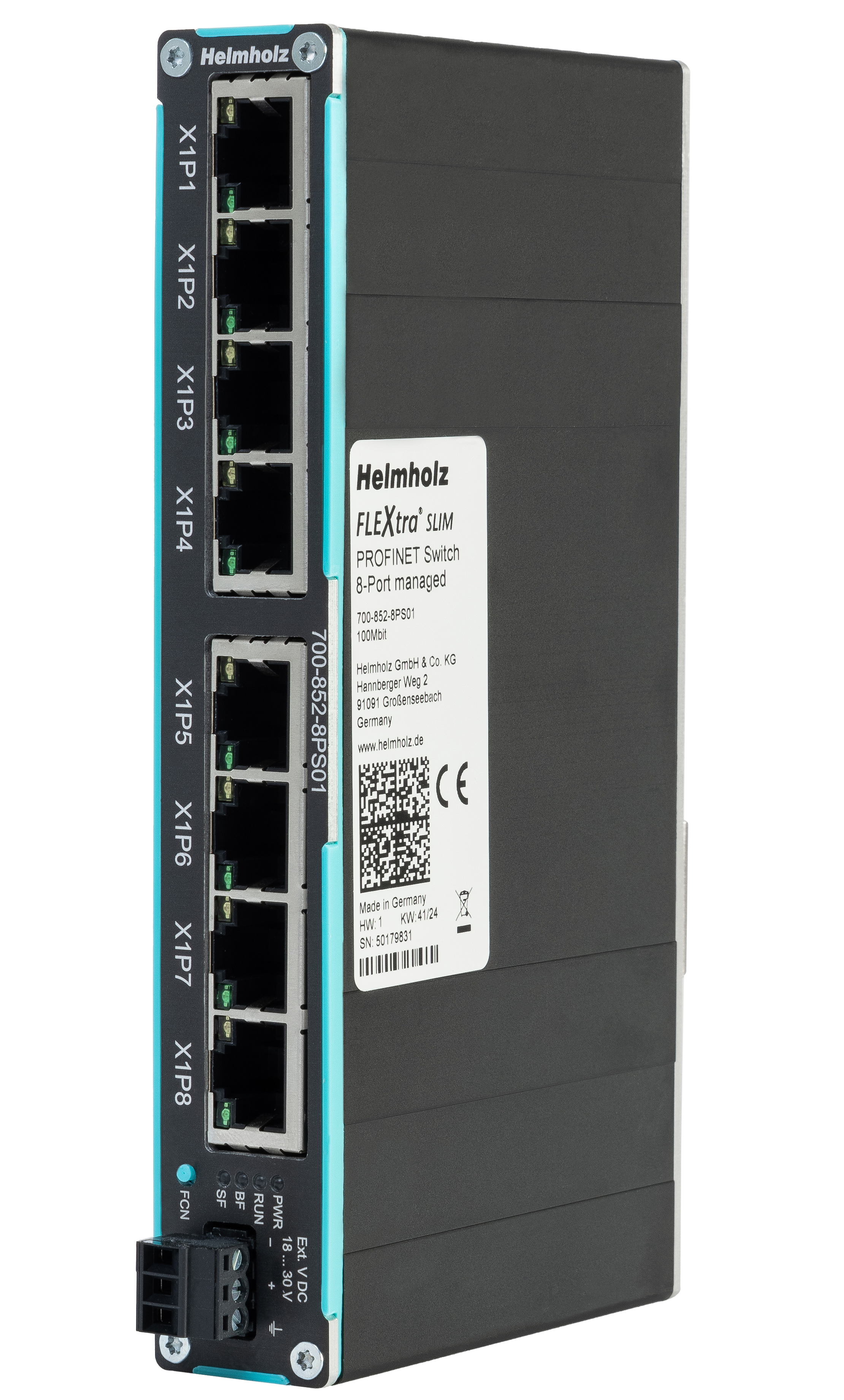
Managed PROFINET switches
SLIM, FLAT, STAGE and IP67, 4 to 16 ports at 100 Mbit/s or 1 Gbit/s, also with SFP slots for fibre. Visible in the topology, with port diagnostics and port mirroring.

Unmanaged switches
SLIM, FLAT and IP67, 5 to 16 ports at 100 Mbit/s or 1 Gbit/s, also with SFP slots for fibre. All meet PROFINET Conformance Class A.

Single Pair Ethernet
10BASE-T1L up to 1000 m over one wire pair: the FLEXtra® SLIM SPE-Switch with PoDL, and the SPE Media Switch for PROFINET, EtherNet/IP or Modbus/TCP networks.
Ethernet-APL
aplSwitch Field and Field PA: 16 Ethernet-APL ports in Zone 2 for field devices in Zone 0 and 1, with MRP. The PA version also connects PROFIBUS PA devices.
Security
One defined connection between machine network and production network, on site with a firewall or remotely via a router, following the zones-and-conduits approach of IEC 62443. All current Helmholz products in scope meet the Cyber Resilience Act from 11 December 2027.

WALL IE NAT gateway and firewall
NAT for series machines with identical IP addresses, packet filtering on IP address, protocol, port and MAC address. 2, 4 or 8 ports, up to 1000 Mbit/s.
Remote access
REX routers and myREX24
Remote access to controllers and panels over an encrypted OpenVPN tunnel via WAN, LTE or Wi-Fi, with the router as conduit between machine and company network.
Whitepaper
Industrial security and the new EU requirements
A compact guide to the CRA, the Machinery Regulation, NIS-2 and RED for machine builders and operators.
Wireless PROFINET, EtherNet/IP, PROFIBUS and CAN
Where cables wear or cannot be laid, such as rotating parts, cranes and AGVs: wireless links for PROFINET, EtherNet/IP, PROFIBUS, CAN and I/O signals, with the PLC project kept as it is.
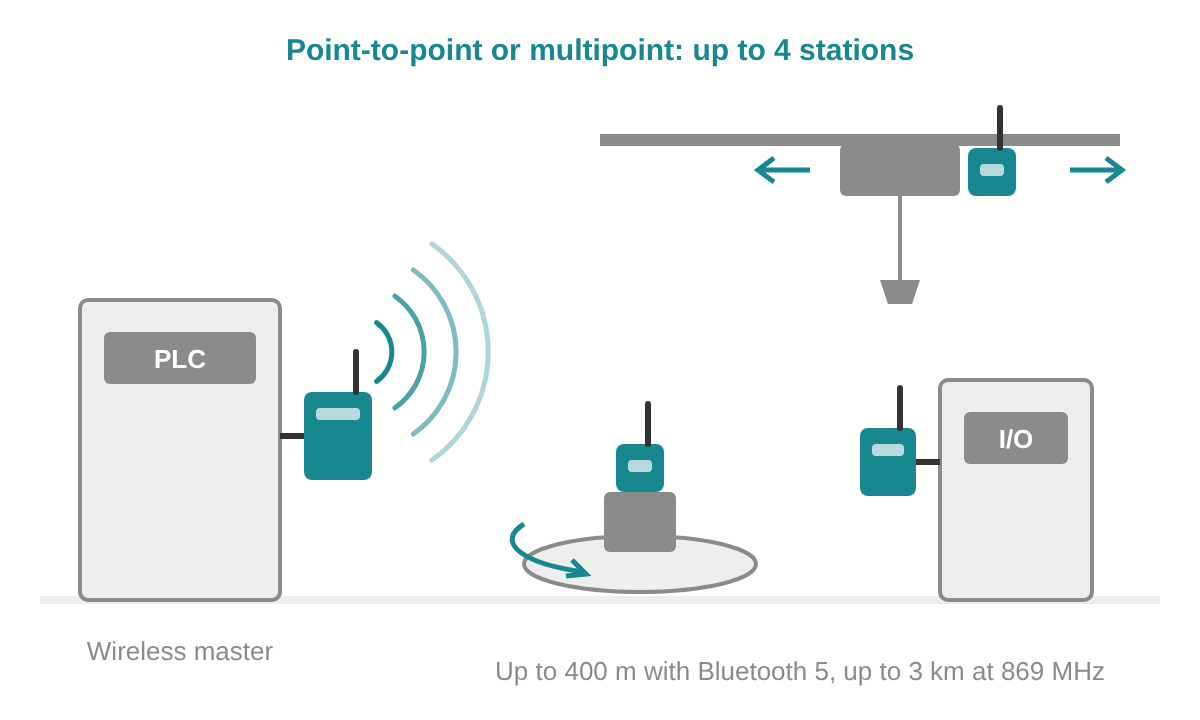
Point-to-point or multipoint
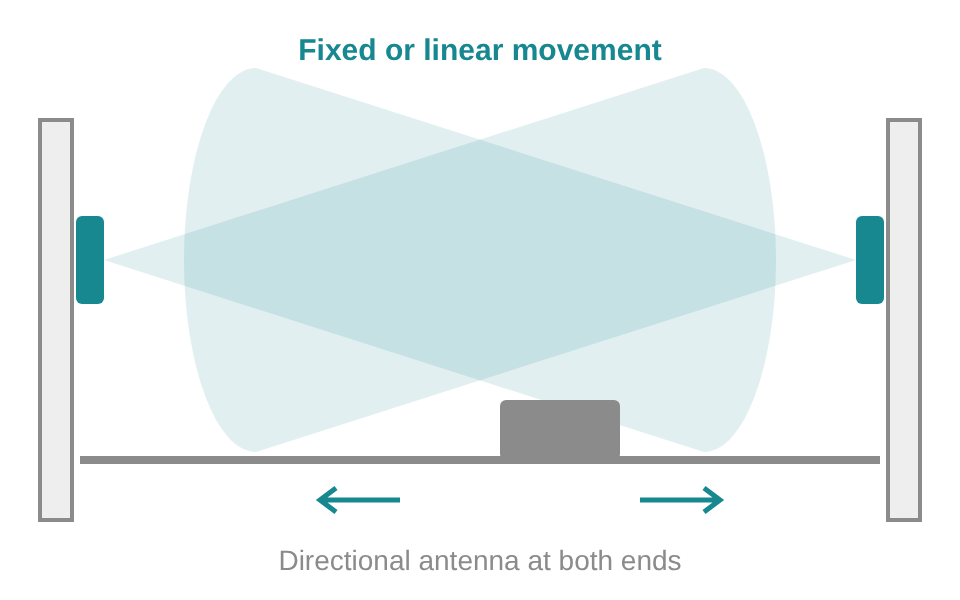
A fixed link or up to 4 stations around one master, for PROFINET, EtherNet/IP, PROFIBUS and CAN.
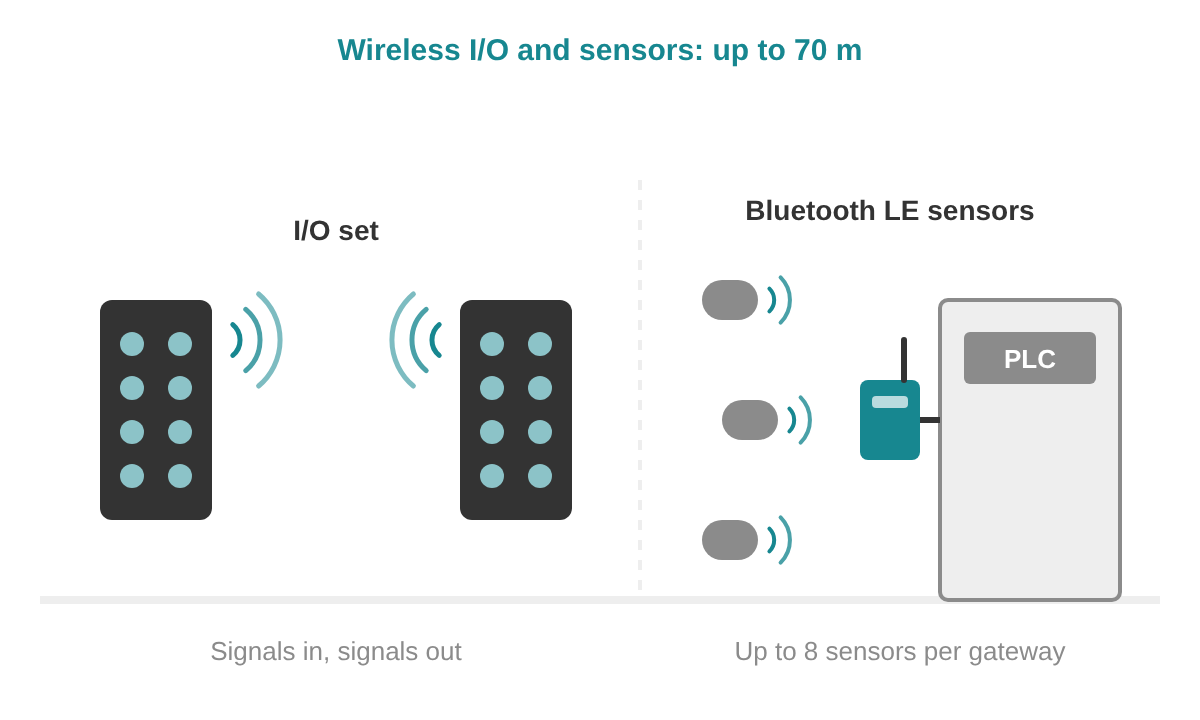
I/O and sensors
Digital and analog signals or Bluetooth LE sensors brought into the fieldbus, up to 70 m.
Gateways and couplers
A coupler exchanges data between two controllers on different networks; a gateway connects devices on another protocol to your controller.
Selection tool
Find the right gateway or coupler
Choose two protocols and see which products connect them: PROFINET, PROFIBUS, EtherNet/IP, EtherCAT, Modbus, CANopen, MQTT and more.
Monitoring and troubleshooting
Finding the cause of a fault on site today, or keeping watch so the next one is solved during planned maintenance: each question has its own tools.

Troubleshooting
Cable testers and PROFINET diagnostics for commissioning, acceptance tests and service calls.

Monitoring
Tools that stay in the network: cable monitoring, PROFINET monitoring and passive access to network traffic.
Permanent diagnostics
Cabinet, cable and network monitoring
Diagnostics that run alongside production and publish their status, for example via MQTT.
PC cards
cifX PC cards connect industrial PCs, HMI panels, test benches and robot controllers to every major fieldbus and Real-Time Ethernet network.

cifX PC cards
From M.2 to PCI Express, as master or slave. Change protocol by loading different firmware; drivers and API stay the same.
Siemens SIMATIC IPC
M.2 bundle for SIMATIC IPC
A ready-to-use M.2 3042 Key B+M bundle with all components for integration into SIMATIC IPC systems.
Embedded modules
For device manufacturers: a complete fieldbus or Real-Time Ethernet interface in your own device, based on the netX communication controller. Choose the module by how it is mounted and whether your device is master or slave.

comX communication modules
Screw-mounted in drives, robot controllers and PLCs, as master or slave, connected via dual-port memory or SPI.

netJACK interchangeable modules
Closed IP40 module that plugs into the device front without tools, also later by the end customer, as master or slave.

netIC DIL-32 communication ICs
Single-chip slave in DIL-32 format for simple field devices such as valve manifolds, barcode readers and I/O modules.

netRAPID chip carriers
netX chip carrier that is soldered onto your own board like a standard component, for slave interfaces in series production.
Before you build
What we check first in a new machine network
- One defined connection to the production network. A firewall in NAT mode keeps identical machines on their own IP addresses and passes only the traffic you allow. When only process data needs to cross, a coupler is the tighter conduit.
- Managed switches where faults must be found quickly. Unmanaged switches in a network that carries PROFINET meet at least Conformance Class A, so the topology and device exchange keep working.
- Factory-made patch cables wherever the length allows. Copper runs up to 100 m between two devices. Beyond that, use fibre via SFP, or Single Pair Ethernet (10BASE-T1L) up to 1000 m, which also carries PROFINET.
- Antennas outside the metal cabinet, with a clear Fresnel zone. At 2.4 GHz over 100 m that zone has a radius of about 2 m.
Services
Our network engineers help with the design, and on site when the network needs attention. For PROFINET and PROFIBUS we also commission and certify networks as PI Competence Center and carry out a periodical network check-up.
Before you build
Network design review
A neutral second opinion on topology, switch placement, separation of machine and plant network, and cabling.
On site
Troubleshooting on site
With analysers and testers we find the cause. You receive a report with the cause, the state of your network and advice to keep it reliable.
Quick question
Advice by phone or online
A question about a switch, a firewall setting, a wireless link or a PC card? Schedule a call with one of our engineers.
Frequently asked questions
Your question not listed? Ask us directly. Questions about one network are answered on its own page, for example PROFINET or PROFIBUS.
Which PROFINET cable type do I need?
Type A for fixed installation, Type B for occasional movement and Type C for continuous movement such as drag chains. Not sure? Send us the application and we will advise.
Managed or unmanaged switch?
Choose managed when you want to see which device sits on which port and get a port diagnostic for a broken cable; managed FLEXtra switches also support port mirroring. Choose unmanaged for a simple machine network without configuration: all unmanaged FLEXtra switches meet PROFINET Conformance Class A.
Which wireless system do I need?
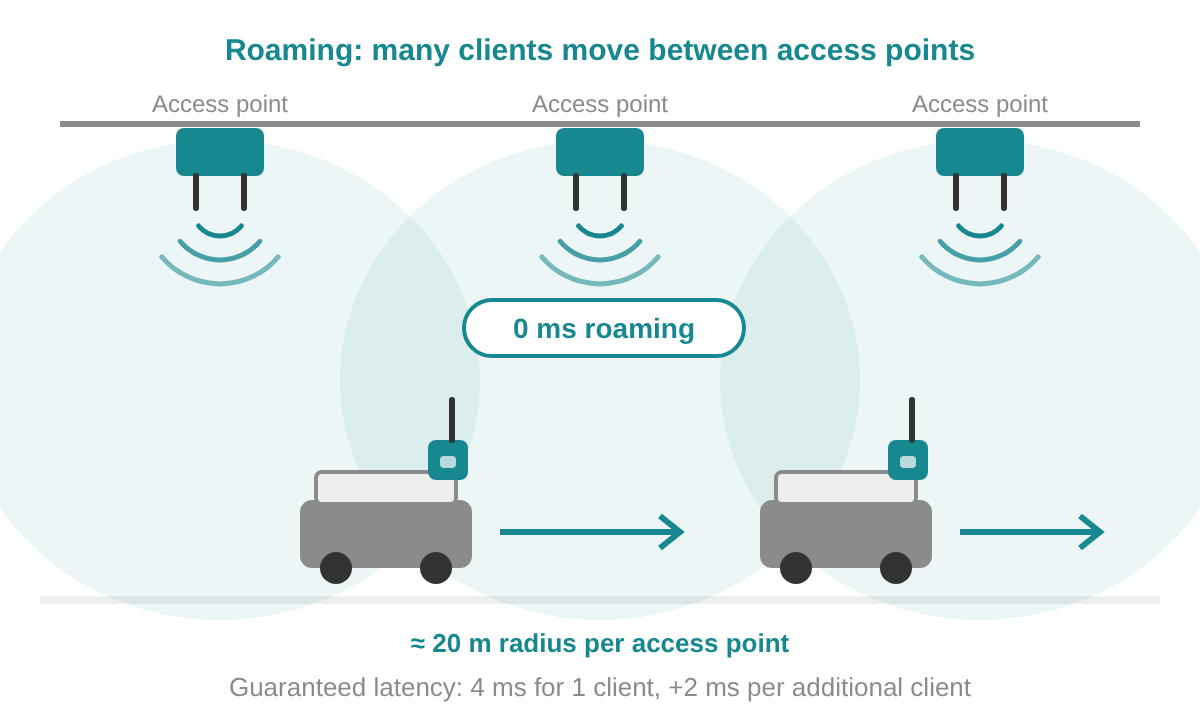
For a fixed link or up to 4 stations around one master, the dataeagle, for PROFINET, EtherNet/IP, PROFIBUS and CAN: with Bluetooth 5 typically 300 m outdoors, at 869 MHz 1 to 3 km. For moving clients that pass several access points, BlitzFunk, with 0 ms added latency when a client roams.
How do I add a network interface to a PC or my own device?
In an industrial PC with a cifX PC card, from M.2 to PCI Express. In a device you build yourself with an embedded module: comX or netJACK for master or slave, netIC or netRAPID for a slave interface.
How do I connect a machine to the plant network?
With a WALL IE in NAT mode: series machines keep identical IP addresses and the packet filter passes only the traffic you allow. When only process data needs to cross, a coupler exchanges the configured I/O data between two controllers.
How do I connect PROFIBUS to PROFINET?
With a coupler that exchanges data between a PROFIBUS and a PROFINET controller, the netLINK PROXY, which plugs onto a DP device so your PROFINET controller sees it as a PROFINET IO device, or a PA gateway for PROFIBUS PA devices.
How do I connect CAN devices to a PROFINET PLC?
With the PN/CAN gateway, as CANopen master, CANopen slave, CAN Layer 2 or SAE J1939. It is configured via GSDML in the hardware configurator of your PLC, without extra software or handling blocks.
How do I get PLC data into MQTT?
A PROFINET/MQTT coupler publishes and subscribes from your PROFINET PLC, configured via GSDML. Gateways read existing S7 and Modbus TCP controllers without changing the PLC program, and the DIN-rail MQTT broker supports MQTT V3.1.1 and V5 with TLS.
Show all 9 questions
Can I order components online?
Yes, most components are in our online shop. See the webshop FAQ for ordering and delivery. For larger quantities or a project, ask us for a quotation.
Help with your network
Tell us what you are building and we help you choose the components. Prefer to do it yourself? Join one of our trainings and workshops.